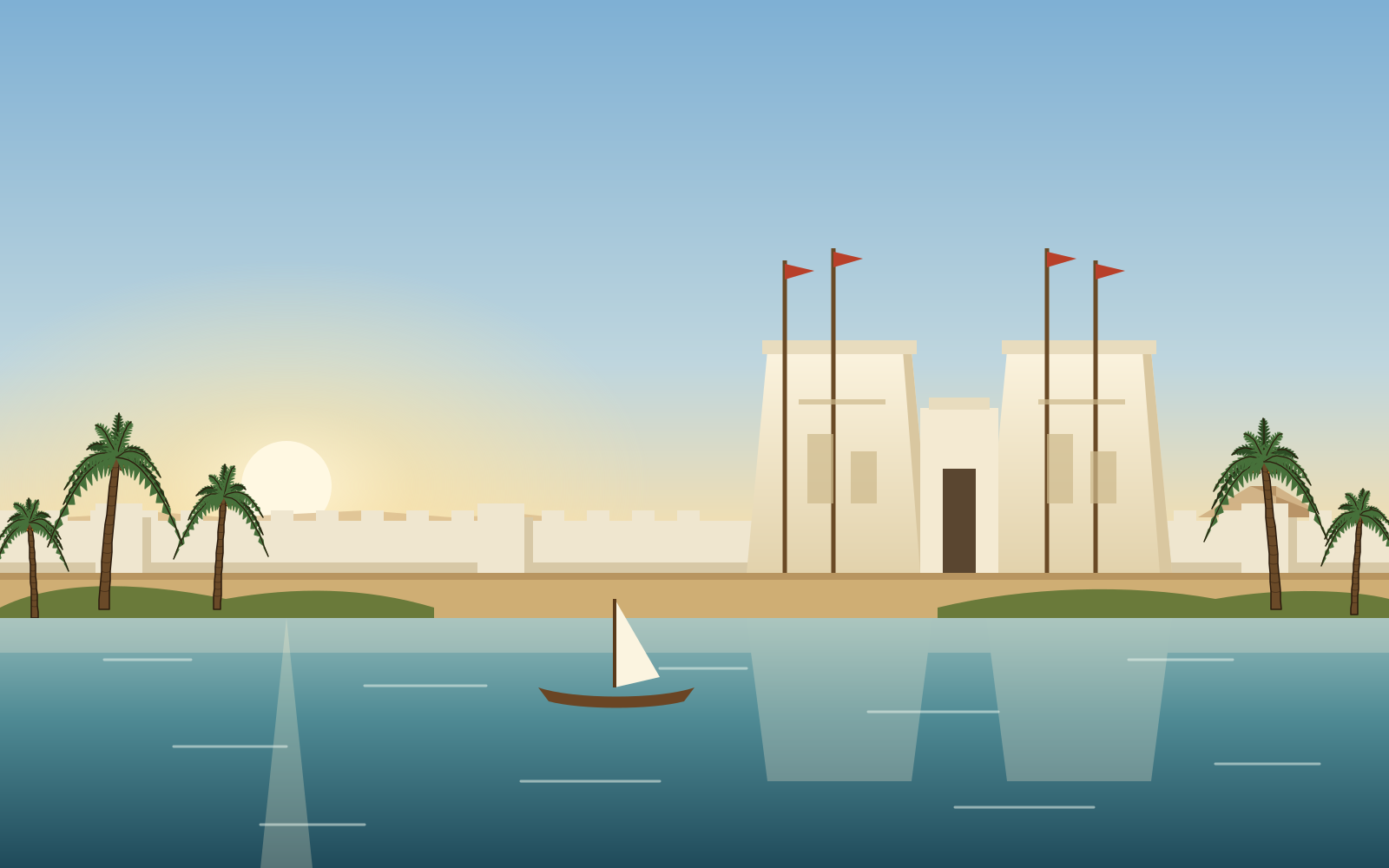
The design language
How every picture and screen in Amulets of Anubis should look, and how to make new ones: by hand, from free sources, or with an image generator. Keep to it and a new picture or screen sits beside the old ones as if it had always been there.
The idea in one line: a traveller’s journey through one long day (the scenery), with the pieces of the puzzle set on it like painted faience (amulets and icons).
The palette
Everything draws from these colours. A new picture may use shades between them, but not new hues.
| Use | Colours |
|---|---|
| Outline (“ink”) | #2a1703 amulets, #3b2406 relic icons, #4a2c10 buttons and menu icons |
| Gold | #fff3ae → #e0ac3a → #8a5a10 (light, middle, shadow) |
| Lapis | #9fb8ff → #2f6fc0 → #1d3f78 |
| Carnelian | #ff8a7a → #b83a22 → #7a1f12 |
| Turquoise, faience | #9fe0d8 → #38a8a0 → #1f6a64 |
| Malachite, leaves | #8ad07a → #3c9a4a → #1f5a2a |
| Linen, calcite | #fffdf6 → #ece3cc → #b8aa88 |
| Sand | #e8c483 → #b98848 |
| Water | #6cc0ec → #4a9ad8 → #1f5f9e |
| Papyrus (interface) | #e8d49e, #f6ecd2 |
Scenery: drawn scenes, a journey through the day
Behind the board, in images/backdrops/<stop id>.svg.
- Look: flat, clean shapes with soft gradients, a thin dark line where things need separating, and no texture. Buildings are drawn as they really stand (the Step Pyramid has six steps, Abu Simbel’s second colossus has fallen, the Pharos has three stages), simplified but not invented.
- Each stop has its own light. The journey runs through the day: morning at Memphis, noon at Amarna, sunset at Giza, night at Abydos, evening stars over the Valley of the Kings, dusk at Philae, dawn at Abu Simbel. A new stop should take a time of day its neighbours don’t have. This change of light is what makes the journey feel like travelling.
- Palms come from
tools/scenery/palm.py, so every palm in the game is the same kind of tree. - Composition: the subject in the middle third, because a phone shows only a tall slice from the centre, and the edges go under the side panel. Nothing important right at the bottom: the board’s shadow falls there.
- Size: 1600 × 1000.
- Made by script. Each scene is written by a short Python script in
tools/scenery/(python3 tools/scenery/giza.py > images/backdrops/giza.svg). Change the script and run it again rather than editing the SVG by hand: the script keeps the geometry exact (edges that meet, perspective that holds), and says in its comments what is shown and why. - Real prints (David Roberts’ lithographs, public domain) were tried as scenery in September 2026 and taken out again: twelve prints in the same warm light lost the journey from morning to night. They were removed from the repository on 25 September 2026 (they are still in its history).
Amulets: painted faience
The pieces on the board: 67 of them, in images/amulets/, 128 × 128. Each stop and each tomb, temple or oasis has three sets of them, one picked at random each time it starts, all of the same size (so the difficulty stays the same) and each set with no two amulets alike in colour and shape. The amulets drawn by script are in tools/amulets/draw.py and tools/amulets/more.py.
- One object, seen straight on or in clean profile, filling the square with a margin of about 8 pixels. No scene, no ground, no background.
- A thick dark outline (
#2a1703, about 7 pixels at 128), rounded joins. It is what keeps the amulet readable at 40 pixels on a phone. - Glazed colour: each area a gradient from light (top left) to shadow (bottom right) in one palette colour, with one soft white highlight. Like glazed faience or polished stone, not like a painting.
- A soft drop shadow straight down: offset 5, blur 4,
#190c00at 55%. - One strong colour and one silhouette per amulet. Two amulets that can meet on a board must differ in both (the build does not check this: look at them side by side at 44 pixels).
- Few details, and none thinner than 2 pixels at 128: a detail that disappears on a phone is noise.
- Not: painterly texture, gradients across many hues, photographs, text, thin lines, backgrounds, or anything that could be read as another amulet.
Specials and badges (images/specials/, images/badges/) are drawn over an amulet: the same outline and gold, glows kept soft, and they must never hide what the amulet is. A badge is a dark disc with a coloured ring and one solid shape (a star, an hourglass, a serpent), never thin lines, which read as letters at 20 pixels; a cursed badge keeps the red ring. The sizes are in images/README.md.
Amulet sets with pictures of their own
Four amulet sets draw every amulet again rather than recolouring it: engraved plates, Naqada pots, Djoser’s tiles and cloisonné, in images/amulet-sets/<set>/. They are all drawn by tools/amulet-sets/draw.py from one plain outline of each amulet (tools/amulet-sets/shapes.py): each amulet a few parts (the scarab is legs, wing cases, back plate and head) and three tones of its own colour. So a changed outline changes all four sets. A new amulet needs one outline to arrive in all of them.
- Each amulet keeps its colour in every set (the gold ankh, the blue scarab), so a player who knows one set can read them all.
- A set is a style, not a drawing: a short function that takes the parts and draws them its way. Engraved plates are black line and hatching over a wash; Naqada pots are paint in each amulet’s own colour, deepened, on buff clay; Djoser’s tiles raise the amulet on a tile of a deeper shade; cloisonné makes each part a cell of shaded stone with gold walls.
- Check them on a phone, and measure: of the pairs of amulets dealt together, how many come too close in colour (the looks check’s ΔE 14). On 26 September 2026 faience had 28, the engraved plates 9, Djoser’s tiles 19, cloisonné 46 and Naqada pots 29. Colour is what tells them apart: the pots had 99 while they were painted in five earth colours, and a different pattern for each amulet helped less than its own colour did.
Icons
Small, flat and exact. At 24 to 32 pixels, generated art loses its detail, so icons are best drawn (or traced) as SVG; a generator is useful for ideas.
| Kind | Where | Size | Style |
|---|---|---|---|
| Boons | icons/boons/ | 24 × 24 | one object, a single gradient in its colour, outline 1.6 in a dark shade of that colour, one white highlight |
| Relics | icons/relics/ (drawn by tools/icons/relics.py) | 32 × 32 | gold (relicGold gradient) with a #3b2406 outline of 1.2–1.4; one accent colour at most; museum pieces, drawn plainly |
| Buttons and menu | icons/dock/, icons/menu/ | 32 × 32 | flat papyrus fill #e8d49e, outline #4a2c10 at 2, one small accent in carnelian or lapis; no gradients |
| Map | icons/map/ | small | flat colours only (they repeat many times on one page) |
| Pictures on scrolls | icons/ui/ (the tomb door, the oasis) | 360 × 170 | a small scene in the scenery’s style (the oasis is cropped from its scenery) |
| How to play chapters | icons/codex/ | as drawn | one per chapter, often a copy of another icon; must read at 22 pixels in the index. Their gradient ids start cx- |
A relic may also have a picture instead of its icon (images/relics/<id>.png, square): a museum photograph (public domain or CC0, credited) or a painted object in the amulet style, on a see-through background.
The interface
The screens are made of the same few materials as the pictures: papyrus, carved sandstone, wood and gold, and the painted bands of a tomb wall. A new screen should need no new material.
Materials
| Material | Where | How |
|---|---|---|
| Papyrus | every scroll, the note beside the board | #e8d49e with a faint fibre texture and a darker, burnt edge (an inset shadow) |
| Wooden rods with gold ends | the top and foot of every scroll | a brown rod, 16 pixels, rounded; gold caps a little taller than the rod. Never squeezed thinner |
| Sandstone | buttons, tabs, tiles | a gradient #ecd9b2 → #c7a877, a 2–3 pixel bevel (light #f7ecd4 top and left, dark #7a5a30 bottom and right), carnelian text |
| Carved stone | the tablets beside the board, the top bar, the dock | --slab shades (web/css/00-colours.css), with a carved edge |
| Dark wood | the board’s frame only | #4a3418 → #2e1f0c; kept to the frame, as near-black elsewhere sticks out |
| Papyrus | the foot of a card; on a phone the plaque with the stop and trial; the moves counter | #f3e6c4 → #e2cb9c, carnelian names and numbers, ink words (#4a3014), quiet ones #5e4526; at least 4.5 : 1 contrast |
| The painted band | the board’s frame, and every divider | blocks of lapis, carnelian, malachite and gold, 16 pixels each, parted by thin papyrus lines, edged top and bottom in gold over a dark line |
| Gold sand | the gilding tube | warm gold with a still grain of light and dark specks, and a rounded heap on top |
States. A button is raised; pressed, its bevel reverses. What is chosen (a tab, a tile, an omen braved, the boon being aimed) is pressed in, with a lighter face (#f6e6bf → #d9bd8c) and a 2 pixel gold ring (--gold). There is no other “selected” colour. A “new” thing gets a small red dot.
One way forward. A scroll that asks for a choice has one big sandstone button, full width, with an icon on the left, the words, an italic line under them saying where it goes, and a › on the right. Other ways go below it, smaller; the rest are small buttons at the foot. A single small one beside a lone big button shares its line, as tall as it. A way out that changes nothing (“No trial today”, “Back to the board”) is full width at the very foot, after a ×.
Buying. A price is a sandstone button: the number in carnelian, then the gold or lapis mark. It is the same in the Treasury, the stall and Customise. One that can’t be afforded yet is dimmed. Undo beside it is sandstone too, a little smaller, in ink rather than carnelian, with its arrow (images/icons/ui/undo.svg). What is owned or just bought says so in green.
Cards. A card to choose (a trial, a river choice) is a sandstone tile: its task as a carnelian heading, then the prize with its icon, and what failing costs on a strip of papyrus at its foot, under the painted band. The plaque on a tomb’s, an oasis’s or a river event’s scroll is built the same way in carved stone. No labels like “Do this:”; the heading says it. A trade keeps “You pay:” and “You get:”, in plain brown.
Places keep their colours. The way into a tomb is torchlit amber #e8b060 → #c88a3c with dark brown words (#3a1e06). The way into an oasis is a soft daylight blue #8cc2e2 → #5a96c4 with dark blue words (#10304e). Light faces and dark words keep them readable. The title screen is the stop’s own scenery under a dark veil, with the name in large gold (--gold-hi, a dark gold shadow below it).
Type. Two typefaces, both embedded: IM Fell Double Pica for headings, names and buttons, IM Fell English for reading. Headings are carnelian. The note beside the board opens with a drop cap: a plain carnelian letter two lines tall, no box.
Room. A screen should fit without a scroll bar where it can. When a list is long, group it (How to play’s chapters, the Menu’s tiles, the stop card’s tiles) rather than letting it run; when text may not fit, show whole lines and a “Read on”. On a phone, tap targets are at least 44 pixels.
Making a picture with an image generator
Most pictures are now drawn by script: scenery in tools/scenery/, the redrawn amulets in tools/amulets/draw.py. A generator is still useful for ideas and for relic pictures.
On a Mac, Draw Things with FLUX.1 schnell (4–8 steps) or SDXL Base 1.0 (about 30 steps). Use only models whose licence allows a free project: FLUX.1 schnell (Apache 2.0) and SDXL (OpenRAIL) do; FLUX.1 dev does not.
Scenery
Draw scenery by script (above) rather than generating it: a generator does not keep one style across fifteen scenes, and it cannot keep the facts of a place.
Amulets and relic pictures
Square (1024 × 1024), on a flat background of one colour that the object does not use (plain white for most; light grey for white objects), so it can be cut out cleanly afterwards.
single ancient Egyptian [the object: a scarab / a canopic jar / ...] amulet, game icon, centred, front view, glazed faience and gold, thick dark brown outline, bold simple shapes, soft highlight top left, soft shadow below, clean vector-like rendering, plain white background, no text
Negative (SDXL): photograph, realistic texture, scene, landscape, ground, table, hands, text, watermark, frame, several objects, busy details
Restyling an existing amulet (image to image): export the amulet as a PNG (1024 × 1024, on white), drop it into Draw Things as the starting image, and use the prompt above with strength 0.35–0.55. Lower keeps the drawing’s shape and only changes its surface; higher lets the model redraw more. Keep the silhouette: the players know the pieces by it.
After generating
- Check the facts. The object must be one the Egyptians made, drawn as they made it; a place as it lies. No invented hieroglyphs, no letters, no fake captions or signatures, nothing modern.
- Cut it out (amulets, relics): remove the flat background to a see-through one, then trim and centre it with an 8-pixel margin at 128.
- Shrink and look: save as PNG (256 × 256 for amulets, which is twice their size, for sharp screens). Look at it at 44 pixels beside the other amulets of its stops.
- Save it under the right name:
images/amulets/<id>.png,images/relics/<id>.pngorimages/backdrops/<stop id>.svg. A.pngor.jpgis used instead of the.svgof the same name; keep the.svguntil the new one has proved itself. - Credit it in
images/CREDITS.md: “generated with [model], [date]”.
The build does not check how a picture looks: look at it in the game (try-out mode) on a phone-sized window and on a desktop before keeping it.