Part 2: The engine
Part 2 of the Tessera manual, for developers: how the engine works on the inside and how to change it. If you’d like to make a game with content files and pictures, part 1 is what you’re looking for.
This part is meant for people who’d like to change the engine itself: add a new kind of rule, a new screen or a new tool. I assume you’ve read chapter 4 of part 1 (“How a game is put together”) and that you know a bit of JavaScript and Python. (Part 1 can be found beside this part in Tessera and in a game’s own docs/manual/.)
All the paths below are written the way they look inside a game, with the engine in its engine/ folder. In the Tessera repository itself, the same files can be found at the top instead.
Contents
- The shape of it
- The build
- The source
- The rules
- The running game
- Screens and the interface
- The systems
- Sound and music
- Extending the engine
- Saving
- Balance and the simulators
- Performance
- The stylesheet
- Testing
- Packaging
- House style
- The Godot version
1. The shape of it
A game made with Tessera is one HTML file that is meant to keep working, unchanged, for decades. That’s the most important thing about the engine. Four rules follow from it and every change to the engine has to keep all of them:
- One file. The build writes
dist/<file>.html(thefilein the game’sedition.jsonc). That file is the game. It runs fromfile://with no server. - No network. No CDNs, web fonts, analytics or
fetch. The fonts are embedded.grep -c "https://" dist/<file>.htmlmust print0. - No dependencies. Plain HTML, CSS and JavaScript, no packages, frameworks or bundlers. The build needs Python 3; the game needs a browser. Pictures are files; sounds and music are synthesised, unless a game brings recordings of its own.
- Old WebViews. A game may be wrapped in an Android app, from Android 7 up. Avoid what WebView lacks, or give it a fallback.
The organising idea is that content and code are separate. Everything a player sees or reads that isn’t a rule is content, one file per thing in the game’s content/. The rules, the drawing, the sound and the screens are code, in engine/src/. engine/build.py is the seam between the two: it checks the content and then puts it into the code.
build.py                   (the game's) runs engine/build.py for this game
edition.jsonc              the game's name, file, save keys and code prefix
content/                   the content, one file per thing, plus text.jsonc and settings.jsonc
images/                    every picture; icons in images/icons/<group>/
web/                       (optional) the game's own look: css/, fonts.css
engine/build.py            checks the game, joins engine/src/ and engine/web/, writes dist/
engine/src/01-core.js      the rules, with no browser code (the simulators run it)
engine/src/00-open.js      loads and migrates the save
engine/src/02-pictures.js  loads the pictures before the game starts
engine/src/03-themes.js    per-stop themes, built from the stops
engine/src/04-boards.js    frame colours, amulet sets, floor squares
engine/src/game/           the running game, one file per part (listed in its README)
engine/web/shell.html      the page, with holes the build fills
engine/web/css/            the stylesheet, one file per part of the screen, in a plain look
engine/web/fonts.css       the two typefaces, embedded
engine/tools/              simulators, the smoke and edge tests, the formatter
engine/example/            the example game
engine/godot/              the Godot version (chapter 17)
The engine and the game. Everything in engine/ is the engine and makes any game from any folder of content. Nothing in it names a place, a God or an amulet: it reads them from the game’s folder, the one that holds edition.jsonc (how it finds that folder is in Tessera’s README). That goes for the look too: the engine’s own stylesheet is plain and a game brings its own colours, textures, typefaces and tab picture (chapter 13). So a change to the engine goes in a commit of its own that touches only engine/. A change to a game’s content goes in the next one. (Tessera’s own docs/games.md explains why and how fixes travel between Tessera and its games.)
2. The build
engine/build.py runs in this order and writes nothing if any step fails, so a broken content file never ships a broken game.
- Name lists from the code. Some names a content file may use are defined in the code and the build reads them from it by pattern: boon effects (
BOON_EFFECTSinengine/src/game/07-trials-boons.js), badge powers (BADGE_POWERS) and hardships (HARDSHIPS, both inengine/src/01-core.js). Others are listed at the top ofengine/build.py: instruments, scales, board modes, trial goals, upgrade effects, condition names, special pictures, colour changes. Add to those by hand when you add one in the code. - The edition.
edition.jsoncis checked (its keys, the starting looks it names) and reaches the code asCONTENT.edition. - Pictures and icons. Every file in
images/goes intoPICTURES; every SVG inimages/icons/<group>/intoICONS, cleaned of comments. - Content. Each folder in
content/is read in file-name order. Files may carry//comments and trailing commas, which are stripped with line positions kept, so errors point at the right line. Each kind has a validator (stop(),boon(),badge()and so on) built on a smallCheckclass that reports by file, field and line and suggests the nearest name for a typo. TheKINDStable ties folders to validators. - References. Anything that names another thing (a stop’s amulets and floor shapes, a relic’s condition, a stall item’s boon, a trial’s boon) is checked once everything is read (
LATER). - Settings and text.
settings()parsescontent/settings.jsoncinto the numbers the code reads asCONTENT.settings.content/text.jsoncis checked against the code: everyT('…')and{{…}}must have a key. Keys the code builds from an id (T('codex.tabs.' + id)) can’t be found by searching, so they are listed inTEXT_FAMILIES. - Joining.
engine/src/00-open.js,02-pictures.js,03-themes.js,04-boards.jsand then every file inengine/src/game/in name order are joined andengine/web/shell.htmlwraps them in one function ((() => { … })();), so the game’s names stay its own.engine/web/css/is joined in name order, with the game’s own stylesheet files in their place (chapter 13). - Filling the holes. The build puts the checked content, pictures, icons, styles, fonts and code into its placeholders:
/*CONTENT*/null,/*IMAGES*/nulland/*ICONS*/nullin the code (a space before thenullis fine),/*STYLES*/,/*FONTS*/,/*CORE*/and/*UI*/inengine/web/shell.html. These placeholders are load-bearing: if one of the code’s three is missing, the build stops and says so.
--check validates without writing. --watch rebuilds on save. --content-json prints the checked content and nothing else, which is how the simulators get it (engine/tools/load-core.js). The build also writes dist/try-it.html, which opens try-out mode at the file changed last and, when rsvg-convert (librsvg) is installed, dist/art-references/: every picture in images/ as a PNG, in the same folders, for showing the art outside the game (engine/tools/art-references.py; only changed pictures are drawn again).
The docs that follow the code
Two parts of the engine’s docs are written by the build itself, so they can never fall behind:
python3 engine/build.py --docswrites the appendix of the content reference (“every name the build knows”) from the names in the code. It also writes a map of the code from the note at the top of every file. It then checks the rest of the reference, which is written by hand: every setting of every kind of content file needs a row in its table, “yes” and “no” in the Needed column have to agree with what the build really insists on (it tries each file without each setting to find out) and the tables of boon effects, badge powers, hardships and conditions have to list exactly what the code knows. If anything doesn’t match, it says what and where. Its code can be found in engine/tools/reference.py.
So when you add a setting, a boon effect or a new file, run it once and add the row it asks for. When you change what a file is for, change the note at its top: that’s what the map shows.
The manual as a website and a book
python3 engine/tools/docs/build.py --pdfmakes the manual into a website in dist/docs/ (open index.html; it needs no server and no internet) with a search over every page, and into a PDF beside it, on A4 and on A5 (smaller pages, which read better on a phone; --a4 or --a5 makes only one). Which pages there are, their order and which of them go into the PDF are listed in docs/site.json. The looks are in engine/tools/docs/looks/ and --look picks one; a game can bring its own (a stylesheet in its folder, named in site.json). The dist/docs/ folder can be copied anywhere as it is, to a web server for instance. The PDF is printed by engine/tools/screenshots/pdf.mjs, so it needs Playwright like the screenshots.
3. The source
Everything in engine/src/ (apart from 01-core.js, which is loaded on its own) runs inside one function, top to bottom, in file order. Each file is complete JavaScript on its own, so an editor can read it. So:
- The numbers are the order. A
letorconstused while the game starts (byfit(), or anything the boot calls) must be declared in an earlier file than its first use, or the game throws on load (a temporal dead zone). Functions are hoisted and don’t mind. - A new file needs only a name with the right number.
- Each file starts with a note saying what it is for, its main functions, where they are called from and what it changes in the save. Read the note first; keep it up to date when you change the file. An editor that reads
jsconfig.json(VS Code, Zed, Gram) can also follow any name to where it is defined. - To find something, search
engine/src/game/for its name. Headings like// ---------- sound ----------mark the parts inside a file. - HTML in the code is written in `
html...strings, laid out one element per line and indented like the page it makes. Thehtmlhelper (02-screen.js`) drops the line breaks and the indentation after them, so the page gets the same HTML as if it were written on one line. A space that should show goes before the line break. - One style. The code and the stylesheet are kept in one style by Prettier, with the settings in
.prettierrc: tabs, lines up to 110 characters, one CSS property per line.engine/tools/format.shlists the files out of style andengine/tools/format.sh --writefixes them (it fetches Prettier the first time; the game never needs it). An editor with a Prettier plugin reads the same settings, so format on save agrees.engine/src/game/README.mdlists what each file holds.
engine/src/01-core.js contains the rules and has no browser code at all: no document, window, canvas or audio. That is what lets the simulators run the real rules in Node. Keep it that way.
The code is in one plain style throughout: tabs, one statement per line, spaces after commas and around operators, braces on the same line, single quotes, lines up to about 110 characters, a blank line between functions.
4. The rules
The board
Core (in 01-core.js) holds three flat arrays of length COLS × ROWS:
mask[sq]: is this square part of the floor;floor[sq]: layers of stone left (0gilded,1bare,2thick);cells[sq]: the amulet there,{type, special, id}, withcover(a cover’s id, or none) andlayers(of it left), ornull.
The rules are written in a small set of helpers at the top of 01-core.js (part 1, chapter 11, lists them): where squares are (rowOf, neighbours, around, rowSquares ...), which hold what (bareStones, plainAmulets, edgeOfFloor, squaresWhere ...), choosing (pickSome, pickOne, both drawing from shuffled(), one shuffle for every rule) and changing (thicken, coverAmulet, breakCover, makeSpecial). Every list of squares they return is in board order, so the same random numbers choose the same squares in the web game and in Godot. Use them in a new rule; a new helper goes beside its kind, with its twin in godot/rules/rules.gd. node tools/rules-test.js checks every helper, cover, special, badge power and hardship on small boards of their own.
Core.play(a, b, each) is one whole move with nothing shown (swap, clear and fall until still, spread covers, shuffle a stuck board, use a move): the simulators and the parity test all play through it and the game’s attemptSwap() and cascade() do the same with pictures.
COLS is the number of columns and ROWS the number of rows; boards are often taller than wide, so index by sq = row * COLS + col and never assume a square. COLS and ROWS are module-level lets set by setBoardSize() before a stop is built.
A move
isValid → swap → clearStep → gravity → clearStep again, until nothing clears. clearStep finds runs of three or more, decides which specials are made, sets off specials caught in the blast (chains included), fires the powers of cleared badges, reduces the floor under everything cleared and returns lists of what happened. The game layer animates those lists and never works out a rule itself, which is why a bot can play the same code headlessly.
Specials come from the shape of a match: four in a row makes a banded amulet, an L or T a ringed one (a star if one arm is four long) and five in a row a sun. Two specials swapped together combine (COMBO).
Badges are marks a new amulet can fall wearing, at the difficulty’s powerChance, picked by each badge’s weight (pickBadge()). When a badged amulet clears, clearStep calls its power from BADGE_POWERS, which records what it did (targets, extra gilding) for the game to show. Cursed badges are kept rare and switched off on Relaxed and in river events.
Building a stop: stopOptions()
Every board is built through stopOptions(), the game’s and the simulators’ alike, so a test plays the stop a player gets. It takes the stop, the difficulty, the board mode and size, Treasury upgrades, persistence, omens, a curse and whether badges have arrived yet and returns the options Core is made with: the floor plan, the moves, the badge chance. Hardships (curses and omens) change these options through their options(o, n) part and change the filled board through board(core, n).
Board modes
BOARD_MODES has one entry per board: classic (8 wide), grand, ruins (generated ruins, ruinsPlan()) and omega (as large as the window, omegaPlan()). Each gives its layout(), how its moves scale and tall (extra moves for a tall board). Omega is dynamic: its size is measured from the window when a stop starts, by omegaSize() and anything that previews a board must measure the same way. Generated plans must pass allMatchable(rows): every playable square must lie on some run of three.
Conditions
Relics, looks, seals and staging use one condition language: a block like {"stops_won": 10, "win_on_difficulty": "Hard"} where every entry must hold. conditionMet(when, s) checks it; CONDITION_COUNTERS contains the counted ones and the win conditions read s.lastWin. needProgress() in game/09-unlocks.js gives the “7 of 9” shown on a locked look and conditionText() the words.
5. The running game
- State (
game/05-state.js):startLevel()builds a stop, sets up the board frame, the scenery, the note beside the board and the HUD.updateHUD()refreshes the numbers and the gilding tube. - Drawing (
game/19-draw.js): one canvas.frame()updates and draws the amulets, badges and effects each animation frame. The floor and its shadows are drawn once into an offscreen canvas (game/01-caches.js) and copied; anything that changescore.floormust setbgDirty = true. - Moves (
game/21-moves.js): swapping,showClear()animating whatclearStepreturned, falling, cascades, scoring and earnings. - Input (
game/22-input.js): pointer, drag and keyboard. Keyboard play (arrows, Enter, Escape) must keep working. - Effects (
game/20-effects.js): sparks, beams, orbs, rings, flashes, popups and vibration, all plain arrays thatframe()draws. - Busy: while a move plays out,
busyis true and input waits.settle()returns a promise that resolves when the board is still.
6. Screens and the interface
The interface has a small set of rules. Follow them and a new screen looks like the rest without new CSS.
Scrolls: showMsg()
Almost every screen is a scroll (#ovMsg), opened with showMsg(html, actions, opts) in game/23-scrolls.js. Each action is [label, what it does], with an optional third part saying how it looks:
showMsg(html, [
	[Tplain('win.sail', { stop: next.name }), () => goNext(i + 1), { kind: 'go', sub: next.sub, icon: iconSvg('ui', 'boat') }],
	[Tplain(placeKey(door, 'explore'), { name }), () => startChamber(door), { kind: 'card', dark: true, icon: iconSvg('map', placeIcon(door)) }],
	[Tplain('win.map'), openMap, { kind: 'quiet', icon: iconSvg('dock', 'map') }],
], { noClose: true });go: the usual next step. One per scroll: a big stone button, full width, with a line under it (sub) saying where it goes.card: another way to go, smaller, with a line under it.dark: true: the way into a tomb, in torchlit brown; withoasis: true, blue daylight.quiet: everything else (the map, replaying, leaving): small buttons in a row at the foot. A singlequietbeside a lonegoshares its line instead, as tall as the big button; give itshortwords (“Leave”) for phones, where its long ones won’t fit.exit: a way out that changes nothing (“No trial today”, “Back to the board”): full width at the very foot, after a ×.exitButton()makes the same button outsideshowMsg(the map’s).hidden: truestarts an action hidden, for a screen that swaps its big button (the stop card does, per tile).- An action with none of these is a plain button, as in the shops.
opts.noClose hides the × and blocks Escape, for scrolls that need a decision (winning, losing). opts.onClose says what closing means when it isn’t “back to the board”: the stop card’s × goes back to the map.
The visual language
- Buttons are stone: a gradient in the
--stone-*colours with a bevelled border (light top-left, dark bottom-right). Chosen is pressed in: the bevel reversed, a lighter face and a 2 px gold ring. Tabs, tiles, omen cards and the boon being aimed all use this. - Places have their own colour: torchlit brown for a chamber in the
tombsetting, blue daylight for one in theoasissetting, the stop’s scenery for the title screen. - Dividers are the band of the board’s frame (
.title-hr), in the game’s--bandcolours. - No scroll bars where they can be avoided. Lay out to fit; when text might not fit, show whole lines and a way to read the rest.
- Scrolls are a column of rod, sheet and rod. The rods are
flex: none, or a long scroll squeezes them thin. - Words go through
T(); nothing English is written into the code.
The title screen
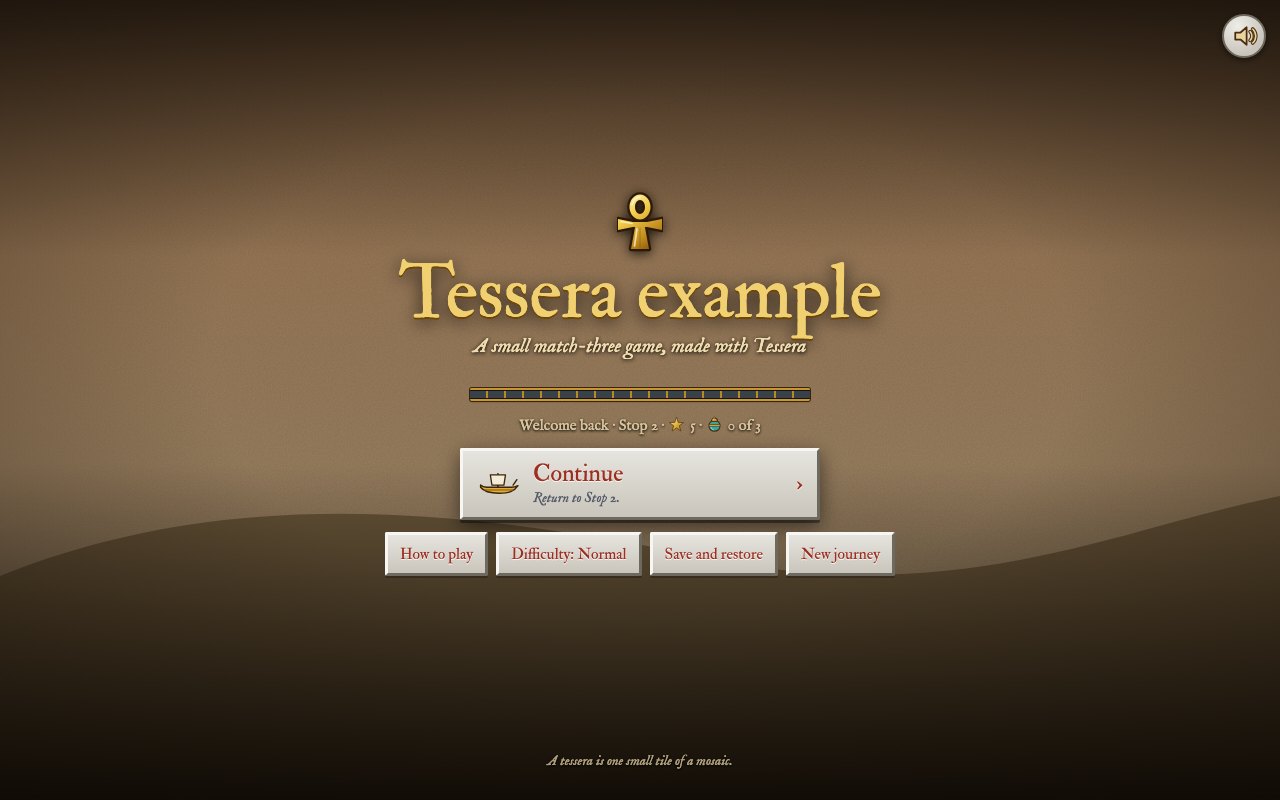
The title screen is its own layer, #ovTitle, over the scenery of the stop you’re at. openTitle() (game/15-title.js) sets body.at-title, which hides the rest of the game so the scenery shows through. At start-up the page carries body.booting, which hides everything but the overlays until the title is up, so the board never flashes first. closeOverlays() takes at-title away.
The Menu
openMenu() (game/14-menu.js): the big “Back to the board”, the band, eight tiles in two rows of four and the three ways out of the game (title screen, save and restore, a new journey) small at the foot. A tile carries a word of state where it helps (Normal, 1 of 3, music off) and its full description as a tooltip. Until the stall opens on a first journey, its tile is Learning pace, so the rows stay full. A new entry should replace one, or become the ninth and tenth together.
How to play
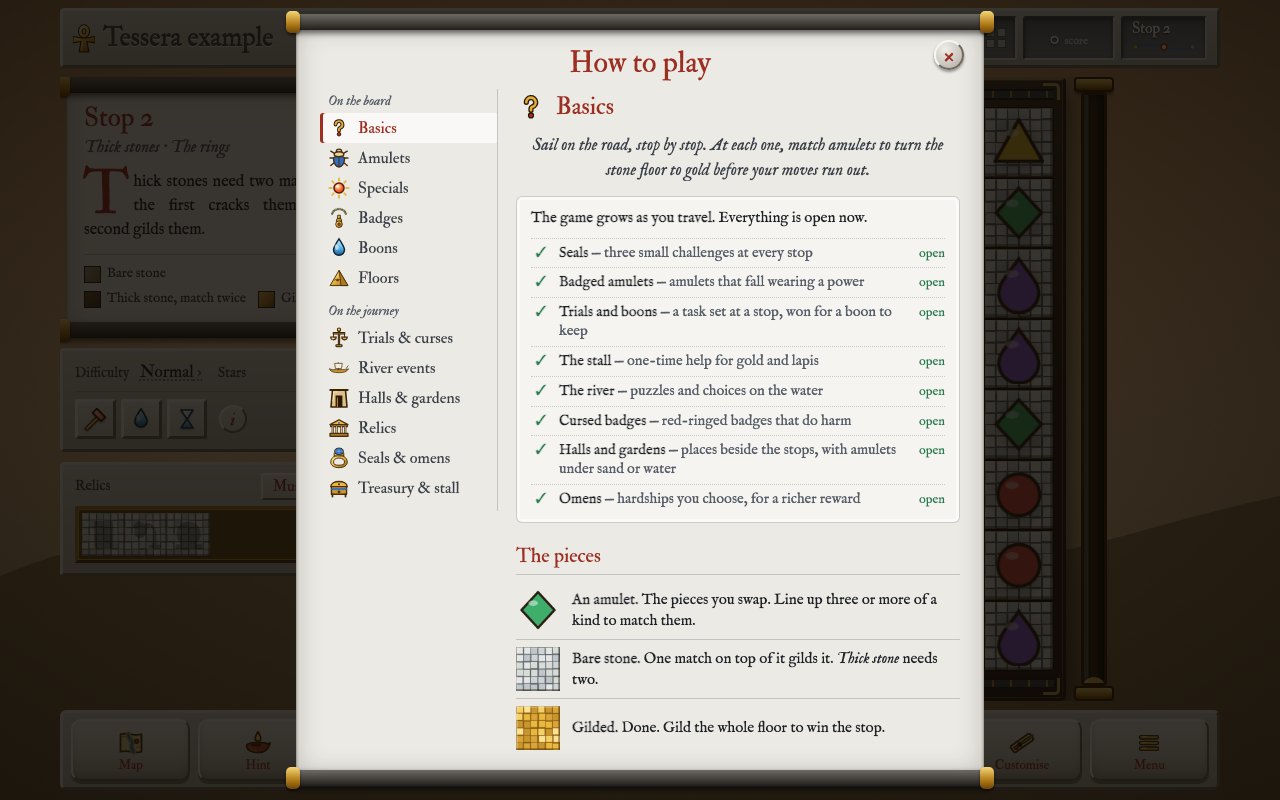
openHelp(tab) (game/25-codex.js). The chapters are CODEX_GROUPS, in two groups, each with a picture in images/icons/codex/<id>.svg and a name in codex.tabs. On a wide screen they run down the margin as an index; on a narrow one (CODEX_NARROW, 640 px, the same as the stylesheet) How to play opens on a contents page (openHelp('contents')) and each chapter has the next and previous at its foot. A chapter waits for its stage on a first journey (CODEX_STAGE). A game’s own website can read CODEX_GROUPS from this file to lay out its How to play the same way.
The stop card
openStop(i) (game/28-map.js): with more than one part to show (seals, omens, a doorway), each is a tile with its gist (“1 of 3”, “2 braved”, “explored”) and only the chosen one is open. The big button follows the tile: “Set out” onto the stop, or into the doorway on its tile.
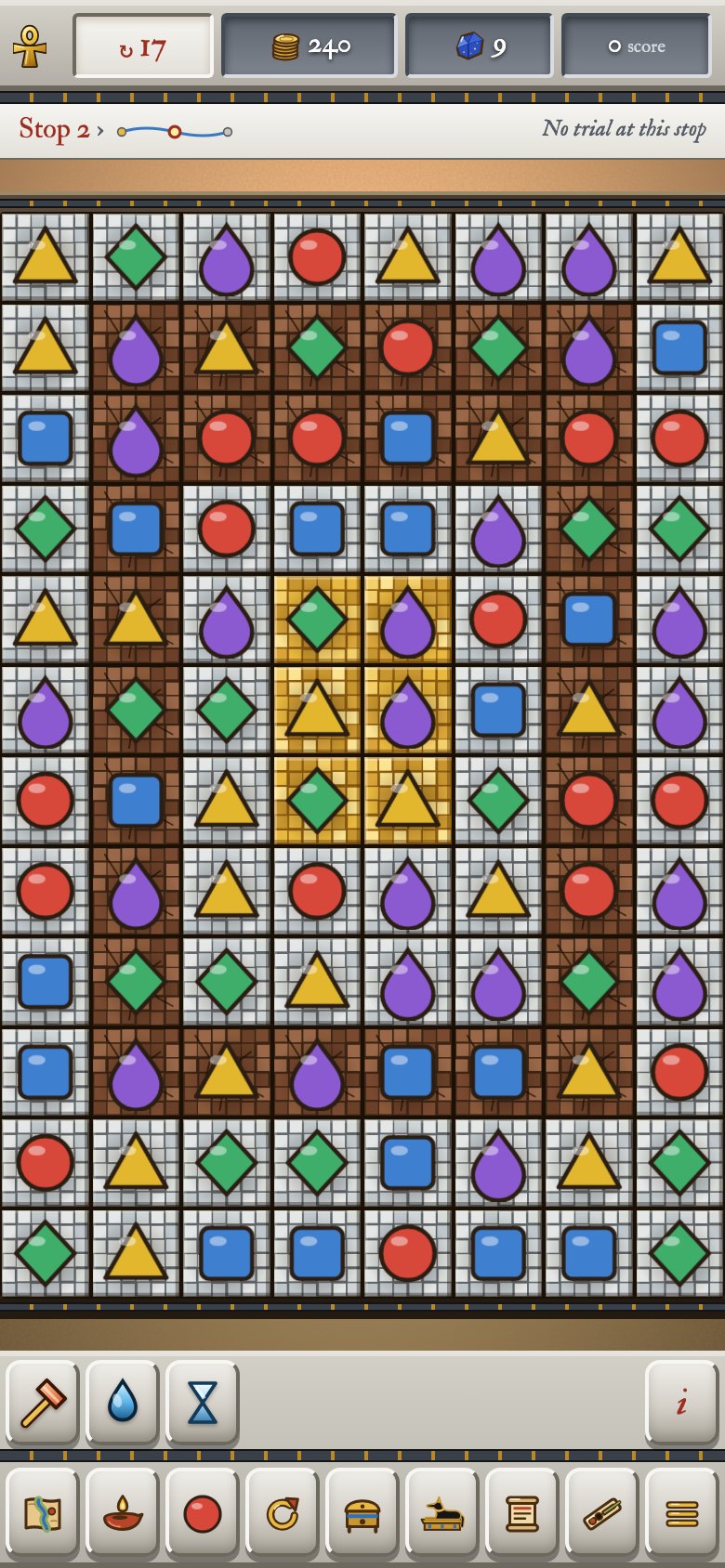
The column beside the board
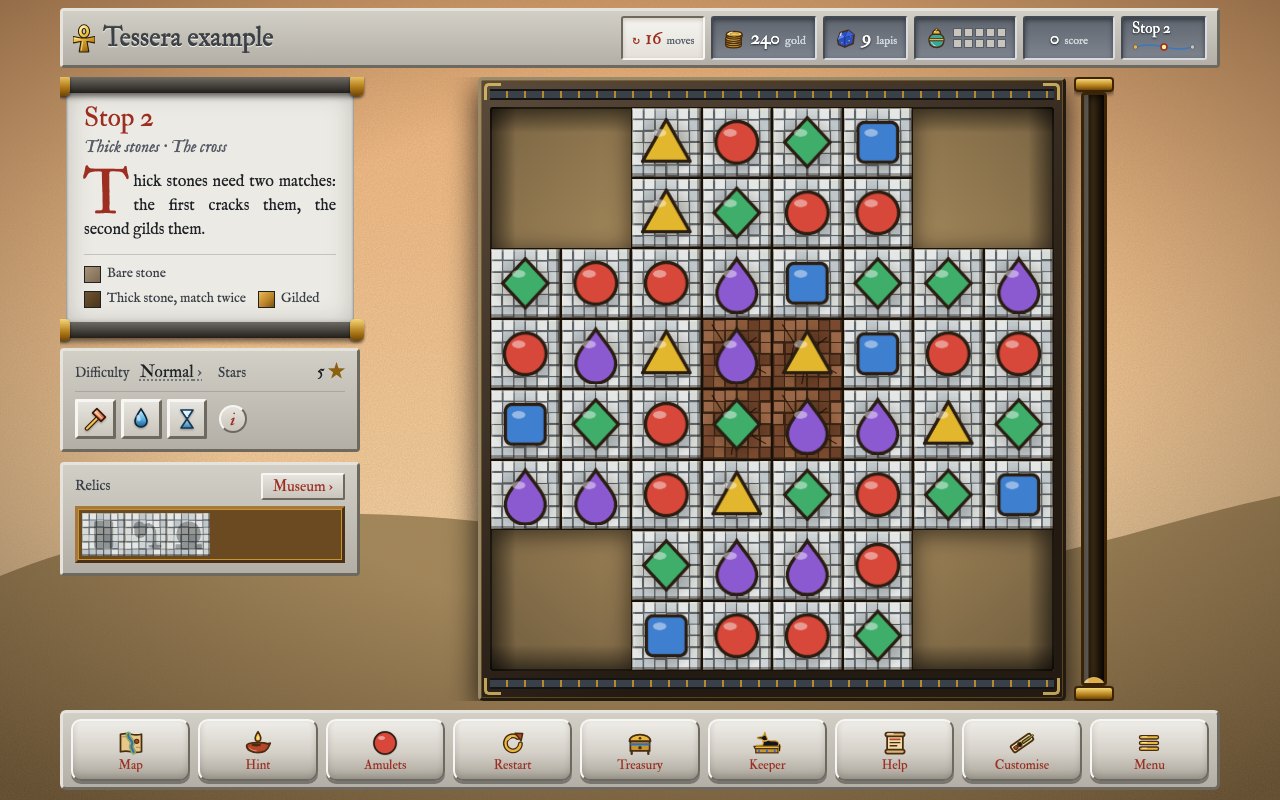
On a desktop, the board has a column beside it: the stop’s note, a tablet (difficulty, stars, trial, boons) and the relics. It must fit without scroll bars:
- The note shows whole lines only.
fitNote()(game/05-state.js) measures it; if it overflows, the key to the stones goes first, then the note is cut to whole lines and ends in “Read on”, which opens it in a scroll. AResizeObserveron the tablet runs it again when the tablet grows. - The boons are icons with names on a tall window and icons only when the window is shorter than 820 px. A ? after them opens How to play at Boons. On a phone they are icons only, at least 44 px, for thumbs.
- The relics are one row, found ones first, with a Museum button; the row opens the Museum too.
On a phone the column becomes a strip under the board and the note opens from it:
Words on screen
Every player-facing word is in content/text.jsonc. T('win.title', {stop}) returns the text with **bold**, *italic* and new lines made HTML, {stop} filled in and {n|stone|stones} chosen by number; Tplain() gives plain text for titles and labels. In engine/web/shell.html, {{hud.moves}} is filled at build time. plainText() strips HTML for attributes such as title.
Icons
Icons are SVG files in images/icons/<group>/, never strings in the code. iconSvg(group, name, attrs) gives a whole icon; iconArt(group, name) its inside, with its <defs> moved once into the shared defs, because Firefox loses a gradient whose first copy is hidden. So gradient ids must be unique across icon files (only relicGold is shared on purpose). In engine/web/shell.html, {{svg:dock/map}} puts an icon in at build time.
Staging and “new”
A new player meets the game’s parts one at a time: STAGES and stageOn(id) in game/26-stages.js, with the stop each arrives at in settings.jsonc. Until its stage, a part is hidden, not just quiet: its buttons, Menu tile, How to play chapter and map marks. announce() shows a banner; markNew(key) puts a red dot on the button where something can be found until the player opens it (clearNew(key)). A new stage needs title, text and what in text.jsonc (stages.<id>).
Accessibility
Keep keyboard play working, aria-labels on icon buttons, focus on the first sensible button of a scroll (the title screen’s sound button comes last in its markup for this reason) and respect less motion: the player’s choice in Settings, or the phone’s own “reduce motion” (applyMotion() in 00-open.js sets reduceMotion for the code and the calm class on <html> for the stylesheet). In CSS write :root.calm .thing rather than @media (prefers-reduced-motion), so the setting can override the phone.
Settings
Settings (openSettings(), 14-menu.js) has five parts as tiles, each opening one: sound and music, vibration, colours, motion and effects and this device. Sound, vibration, colours and motion are in the save (colours, motion); how the board is drawn (deviceSetting('renderer'), kept under the edition’s device_prefix) and fewer effects (deviceSetting('effects')) belong to the device and are kept in the browser (deviceSetting()), so a save code taken to another phone doesn’t bring them. Effects on “Automatic” turn down only on a phone that reports 4 GB of memory or less, after a fifth of the frames during cascades were slow at two different stops (watchEffects(), 19-draw.js).
Colour modes
The game’s own colours, dark, high contrast light and high contrast dark, or following the phone (applyColours() sets data-colours on <html>). Every colour of the interface is a named variable in 00-colours.css and each mode is one list there; the rest of the stylesheet writes var(--ink), var(--bevel-hi) and so on, never a colour of its own. The names say what a colour is for, not what it is made of: --paper for scrolls and notes, --ink, --accent (headings, warnings, the moves), --focus (the keyboard’s ring), --ink-cool, --good, the --stone-* buttons, the --slab bars, --band and --band-edge, --page behind everything, the map’s --map-* labels. There are two files of that name: the engine’s (engine/web/css/00-colours.css, a plain look) and a game’s own (web/css/00-colours.css), which takes its place (chapter 13). Both set every name, so a new name goes in both. What looks the same in every mode keeps its colour where it is used: gold and sand, shadows, water, the title screen and anything on the board. So a new rule that colours part of the interface uses the names; if none fits, add one to all four lists, in both files.
7. The systems
| System | Where |
|---|---|
| Trials: offered, measured, rewarded | content/trials/; trialProgress() in game/07-trials-boons.js, levelWon() in game/24-win-lose.js |
| Boons: held, aimed, used | content/boons/; BOON_EFFECTS, useBoon() in game/07-trials-boons.js |
| Curses and omens | content/curses/, content/omens/; HARDSHIPS in 01-core.js, applied through stopOptions() |
| Seals | "seals" in each stop; stampSeals() in game/27-seals.js |
| Relics | content/relics/; checkRelics() in game/09-unlocks.js |
| River events | content/river-events/; game/10-river-events.js, on a small board (setupSmallBoard()) |
| Chambers | content/chambers/; game/11-chambers.js. placeKey() picks an oasis’s words, placeIcon() its picture, coversNote() the card’s line about its covers |
| Covers | content/covers/; COVERS in 01-core.js, broken in clearStep(), grown by Core.spread(); drawn with coverPicture() (02-pictures.js), burst and heard in showCovers() (game/21-moves.js) |
| The stall, the Treasury | content/stall/, content/treasury/; game/12-stall.js, game/16-treasury.js. Every purchase is logged with logBuy() and can be undone until the screen closes |
| Looks | content/amulet-sets/ and the rest; changing one goes through applyLook(), which also empties the pre-scaled amulet cache. An amulet set’s own pictures (images/amulet-sets/<id>/) are loaded into SET_PICS (02-pictures.js) and used by skinned() (04-boards.js); a set with pixel_art is drawn without smoothing, there and in the sprite cache (game/01-caches.js) |
8. Sound and music
Everything is synthesised with Web Audio, unless a game brings recordings of its own (below).
- Effects (
game/03-sound.js): plucked strings (Karplus-Strong), bells, gongs and stone, mostly rendered once into buffers and replayed. - Music (
game/04-music.js): generated live in the stop’s key, scale and instrument.PROGRESSIONSare chord sequences through the scale;MUSIC_LAYERSthe voices;musicArrange()brings them in and out;musicFollow()turns moves left into tension and gilding into brightness;musicResolve()ends a stop;musicDuck()muffles it under a scroll. Pitched effects take their notes from the chord playing (chordTone()). - Recordings (
sounds/andmusic/in the game’s folder): the build embeds them asdata:addresses inPICTURES.soundsand checks the names (an effect’s name from thecases ofsfx(), a stop’s id ordefault).soundBuffer()(game/03-sound.js) decodes each once;sfx()first triesplayRecorded(), which plays the recording throughsfxOut(so the volume and mute apply) and otherwise, or while it’s still being decoded, falls through to the made-up sound. For music,musicFile()picks the stop’s piece ordefaultandplayMusicFile()loops it throughmusic.bus, so the volume,musicDuck()and the fade at the end of a stop work as usual;musicFollow()and the chord-tuned effects don’t apply to a recording. Nothing is fetched: it all comes out of the one file. - Loudness: music about −22 LUFS at the default volume, some 6 dB under the effects. Measure by recording the master output. Nothing below about 50 Hz.
- Crackle on phones is an audio-thread problem, not a frame-rate one: see chapter 12.
9. Extending the engine
Most additions are content (Part 1). These need code.
A new boon effect
Add an entry to BOON_EFFECTS (game/07-trials-boons.js): target (does the player pick a square), amount (the default) and use(b, sq) (b.n is the amount, sq the chosen square). A boon that clears squares should call cascade(null, keys, true): the true keeps the blast from advancing a trial. The build reads the names from this list. Add the effect to the comment in the example’s first boon file (which is what new.py copies) and to the content reference. Part 1, chapter 11, walks through one line by line.
A new badge power
Two halves. The rule goes in BADGE_POWERS (01-core.js): amount and fire(core, at, n), which acts inside clearStep and returns what it did. How it shows goes in BADGE_SHOWS (game/21-moves.js): its sounds, whether it buzzes and show() for popups, beams and orbs. Keep the rule free of browser code: the simulators run it.
A new hardship, for curses and omens
HARDSHIPS in 01-core.js. options(o, n) changes the stop’s options before it is built (moves, badge chance); board(core, n, h) changes the board once filled (h is the curse or omen; h.cover the cover it names). Either or both. Written with the helpers, most are a line:
	// n amulets, chosen at random, start under a cover
	buried_amulets: {
		stage: 'chambers',
		board: (core, n, h) => coverAmulets(core, n, h.cover),
	},
A new cover
No code: a file in content/covers/ and a picture in images/covers/ (part 1, chapter 8). What a cover can do is its fields: layers, broken_by, matches, spreads. A new kind of behaviour (a cover that stops the amulet falling, say) is a new field: read it in cover() in engine/build.py, act on it where covers are handled in Core (typeAt(), isValid(), clearStep(), spread(), shuffle()), in core.gd the same and add it to tools/rules-test.js.
A new trial goal
Add the name to TRIAL_GOALS in engine/build.py and measure it in trialProgress() (during play) and levelWon() (goals judged at the end).
A new condition
Counted conditions go in CONDITION_COUNTERS (01-core.js) and COUNT_CONDITIONS (engine/build.py); win conditions in conditionMet() and WIN_CONDITIONS. Its words go in text.jsonc under conditions.
A new board mode
An entry in BOARD_MODES with layout(), moves and tall, its name in BOARD_MODES in engine/build.py and in text.jsonc (boards). A generated layout must pass allMatchable(). Run the simulators on it.
A new special
Its pictures in images/specials/, their names in SPECIAL_PICTURES in engine/build.py, its power in SPECIAL_POWERS (fire(core, at), as a badge power’s), what match makes it in clearStep, its drawing in drawTile().
A new stage
An entry in STAGE_MARKS (game/26-stages.js), its stop in settings.jsonc (staging, parsed in settings()), its words in text.jsonc (stages.<id>) and stageOn('<id>') wherever it shows.
A new setting
A field in settings.jsonc, parsed with a default in settings() in engine/build.py, read as CONTENT.settings. Tuning numbers never go in the code.
A new saved field
See chapter 10: it needs a default in applySaveDefaults().
10. Saving
A player’s progress is kept in localStorage under the edition’s save_key and players move it between copies with export codes that start with its export_prefix (Save and restore). Both are the game’s, in edition.jsonc, with the looks every player starts with; the engine reads them as CONTENT.edition. Once people play they never change. A game does well to keep a test that a save and a code from an old version still load (Amulets of Anubis keeps one, tools/old-saves.mjs). So:
- Never rename or repurpose a saved field. New fields get a default in
applySaveDefaults()(engine/src/00-open.js). If a field’s meaning changes, write a migration there. - Progress is keyed by stop id and the save records the order of ids it was made with, so adding or reordering stops moves progress with its stop (
remapStops). A game whose saves came before stops had ids lists its first order of stops inedition.jsonc(stops_before_ids); a new game leaves it out. - Every write goes through
persist(), in atry; the game runs even when storage fails. - Try-out mode (
#try) uses a separate save and never touches the real one.
11. Balance and the simulators
The simulators run 01-core.js in Node with the checked content (engine/tools/load-core.js, through build.py --content-json) and build boards through stopOptions().
node engine/tools/journey-sim.js 1 60          # first journeys, as a new player meets them
node engine/tools/journey-sim.js 1 60 later    # later journeys, everything on
node engine/tools/sim.js 1 classic 8 13 24     # difficulty, board, columns, rows, games
node engine/tools/events-sim.js                # river event puzzles
node engine/tools/econ-sim.js 8 13 4 1         # earnings and unlocks over whole journeys
The bot is greedy and never plans, so people do a little better. Targets on Normal: about 65–75% first-try wins, first and later journeys alike, on every board, early stops higher than late ones; Relaxed about 95%. At 60 journeys one stop’s figure moves about ten points between runs, so judge averages. River puzzles: between about 50% and 90%. Economy: about a third of the looks after one journey.
What tunes what: each stop’s moves, prices, event moves and the numbers in settings.jsonc (content); MOVE_TUNING, BOARD_MODES and DIFFICULTY in 01-core.js (code).
12. Performance
The target is a mid-range Android phone.
- The floor is cached in an offscreen canvas and only changed squares are repainted after a match (
bgCells). - Amulets are pre-scaled to the square size (
tileAt). - Idle frames: 30 a second when something could move, 4 when nothing on the board moves by itself (
idleWanted()). - Fewer effects (
lowFx): chosen in Settings, or turned on by “Automatic” only on a phone with 4 GB of memory or less that struggles during cascades at two stops. A good phone is never switched by a hitch. - No blurred CSS on or round the board: Firefox repaints it every frame. Paint shading into the floor layer instead.
- Gradients used by repeated icons live once in the shared defs.
- The sand tube is a still tiled picture; only its height moves and its stream of grains shows only while it fills.
- Canvas size is capped at about two million pixels.
- Audio: phones ask for a larger buffer (
latencyHint: 'playback'); reverbs are one channel and short; plucked strings, bells and gongs are buffers made once; music is scheduled 0.4 s ahead and nothing starts sooner than 30 ms from now (MUSIC_AHEAD,MUSIC_MARGIN,SFX_LEAD); “Steadier sound” asks for a fixed buffer (sound.steady_buffer_ms). Judge an audio change by the work per render slice: render it in anOfflineAudioContextwithsuspend()every 0.1 s and time each slice. - A game can check for leaks by playing a long session and watching the page’s memory (Amulets of Anubis keeps its own soak test).
13. The stylesheet
engine/web/css/ is joined in file-name order, so the numbers are the order.
A game’s own look. A game can bring stylesheet files of its own, in its web/css/. One with the same name as an engine file takes that file’s place; one with another name is added, in the same file-name order (so 05-extra.css comes after the engine’s 05-dock.css). Amulets of Anubis brings one, web/css/00-colours.css: every colour and texture of its papyrus, sandstone, painted band and page, in the four modes. A game with none gets the engine’s plain look (light paper, grey stone, a little gold). A game’s web/fonts.css likewise replaces the engine’s typefaces (then set --display and --body in a file of its own after 01-base.css, such as 01-typefaces.css) and its images/favicon.svg (or .png) is the picture in the browser’s tab.
| File | Styles |
|---|---|
00-colours.css | every colour and texture by name and the four colour modes (a game’s own replaces it) |
01-base.css | fonts, the page, the scenery, less motion (.calm), what a mode changes beyond colours |
02-layout.css | the app grid |
03-hud.css | the top bar and coins (.g-ico) anywhere |
04-board.css | the stage, the board frame and canvas, the sand tube |
05-dock.css | the buttons along the bottom |
06-scroll-and-buttons.css | scrolls and their rods (.paper), stone buttons, the drop cap |
07-side-panel.css | the column beside the board: note, boons, relics |
08-shops-and-looks.css | Treasury, stall, Customise |
09-codex-and-sound.css | How to play, Customise tabs, Settings |
10-screens.css | the ×, the title screen, the Menu, dividers |
11-journey.css | seals, omens, the stop card’s tiles |
12-notices.css | banners, “new” dots, the try-out badge |
13-overlays.css | scrolls, showMsg()‘s button kinds, the map |
20-small-screens.css | phones and short windows, last on purpose |
Colours are named in 00-colours.css (see “Colour modes”). Put a rule in the file for its part of the screen; phone rules in 20-small-screens.css or an @media block beside the rule.
14. Testing
After any change to engine/src/:
python3 build.py
grep -c "https://" dist/<file>.html               # must print 0
node engine/tools/screenshots/smoke.mjs
The smoke test plays the built game for a moment as a new player and as one who is part-way through a journey, on a desktop and a phone: moves, every screen, every tab and chapter. It fails on any page error. The simulators only run 01-core.js, so they can’t catch a mistake in engine/src/game/.
Also: node engine/tools/screenshots/edge.mjs plays the awkward paths (losing and leaving by the map, winning and coming back, taps in the middle of a move, turning the phone, broken saves) and reports dead ends; node engine/tools/screenshots/check-looks.mjs checks every amulet set for amulets too close in colour; node engine/tools/screenshots/pdf.mjs prints an HTML page to a PDF. The browser tests need Playwright, installed once: cd engine/tools/screenshots && npm install && npx playwright install chromium. Check layout at 390 × 844 and 360 × 780 as well as on a desktop: the page must never scroll.
15. Packaging
Tessera builds the web game: one file that plays in any browser. That file is the thing to keep. Everything else is a wrapper round that file and belongs to the game, not the engine:
- An installable web app is the file served as
index.htmlbeside amanifest.webmanifestand a small service worker that caches it; change the service worker’s cache name for each release, so installed copies fetch the new one. - An Android app is a WebView showing the file from the app’s assets, with storage and the back button wired up. The engine handles Back through the page’s history and keeps clear of a notch through CSS variables (
--cut-topand the rest, falling back to the browser’s safe area), so a wrapper only has to report the notch. - Desktop apps are the file in a frozen browser engine such as Electron, with the network blocked.
Amulets of Anubis, the first game made with Tessera, has all three (platforms/ and build.sh there), with its app id and name written in. Until wrappers read edition.jsonc, a second game copies them and changes those.
16. House style
- Nothing of one game in the engine. A name, a word, a number, a picture or a colour that belongs to one game goes in that game’s files and the engine reads it from there; the build checks it.
- British English in the engine’s comments, messages and docs.
- The engine’s own words for its pieces: stops, stones, floors, gilded, amulets, specials, badges, boons, trials, curses, relics. What a game calls them on screen is its own business, in
text.jsonc. - Watch the engine’s size. Prefer a content file to new code and say how much code a change adds.
- Every file in
src/starts with a note (what it is for, its main functions, what it changes in the save); keep it up to date.
17. The Godot version
engine/godot/ is a version of the engine made with Godot, a free game engine, which draws its whole interface itself. It uses the same content (read through build.py --content-json, never from the content files directly), the same pictures and the same rules. src/01-core.js stays the one true version of the rules and the Godot port follows it name for name. A parity test plays seeded games in both and compares them, move for move.
Today, it plays the journey of any Tessera game: the title screen, the map, the stops one after another, winning and losing, the Menu and saves that move to and from the web game. Trials, boons, the shops, events, chambers, looks, How to play and sound are being worked on (sound is finished on a branch of its own). godot/README.md explains what’s done so far and how to run it.